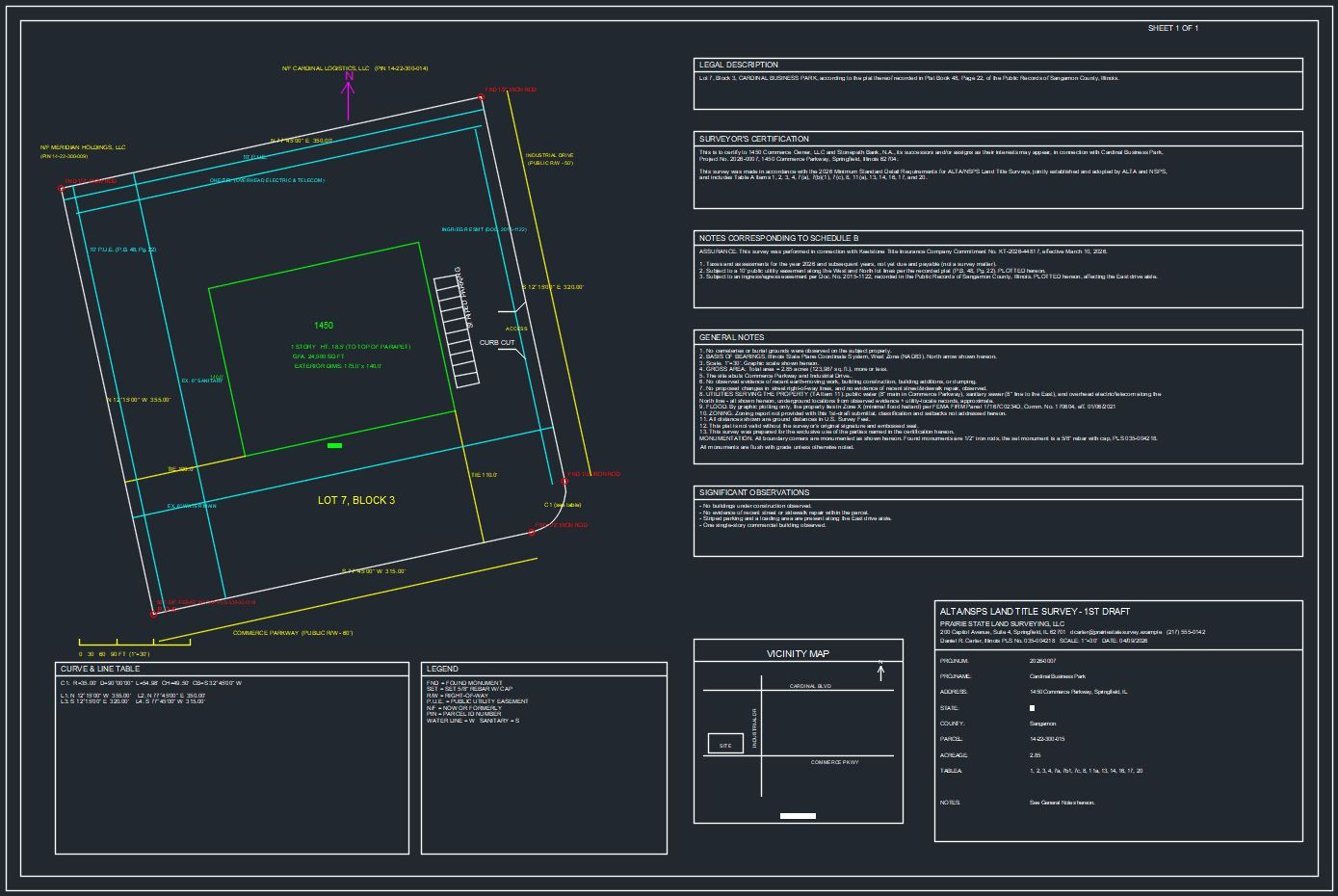
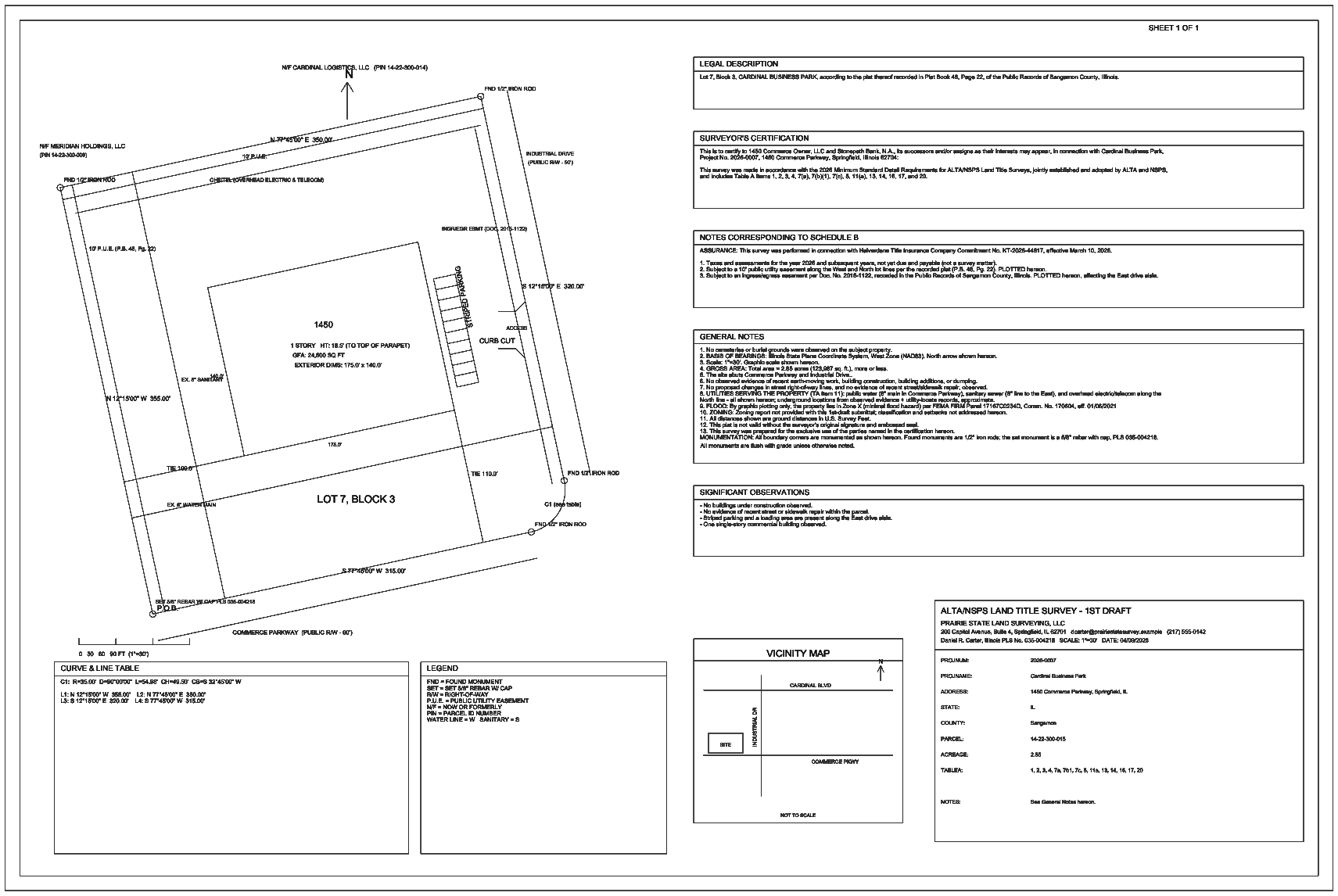
Proofle applies a structured, experience-derived review to your ALTA/NSPS survey inside Autodesk Civil 3D — a disciplined starting point for a qualified reviewer, and never a substitute for one.
Every finding is presented for professional judgment — to be confirmed, dismissed, or corrected. The determination remains yours.
Any system can test a survey against the published ALTA/NSPS requirements. Proofle is grounded in tens of thousands of production ALTA/NSPS surveys — prepared and sealed by licensed surveying firms — and in the corrections those surveys actually required in title review: certifications that omit a party, legal descriptions that drift from the commitment, encroachment notes at odds with the drawing, monumentation and notes that contradict one another. That record cannot be scraped, purchased, or synthesized by a general-purpose model. It is refined from our own production work — never from your documents.
The result is a structured first pass in minutes, in place of the 45–90 minutes a manual first review requires — current to the 2026 ALTA/NSPS standard.
Proofle reviews the survey and title commitment against a checklist derived from documented corrections — not merely the published standard — across the full ALTA/NSPS requirements and the Table A items you select. Among the areas it examines:
Whether the certification names the parties it should, including the title insurer.
Presence of the encroachment statement when it's called for by scope.
That title-commitment exceptions are addressed and dispositioned on the survey.
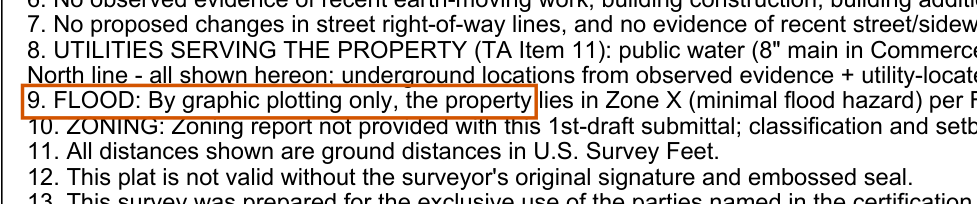
That the flood note identifies the zone and the FEMA panel and community.
That the basis of bearings is stated and consistent with the survey.
That boundary corners are monumented and the monumentation is noted.
The optional Table A items you selected for the survey — checked in scope.
Flags potential mismatches between the legal description and the title commitment for your review.
Surveyor identity and licensure, scale and north arrow, adjoiners, access, and the rest of the checklist.
Each item resolves to FAIL, RECOMMEND, PASS, or N/A with a short, plain-language reason — surfaced for your review, never decided for you.
This is the per-item format you get back. The data below is a fully synthetic demo project — not a real client survey.
| # | Status | Finding |
|---|---|---|
| 54 | FAIL | An encroachment statement is completely absent from the survey. |
| 222 | FAIL | Table A Item 20 is in scope, but no encroachment statement of any kind is present. |
| 8 | RECOMMEND | The certification omits Keelstone Title Insurance Company (the title insurer) — worth confirming against the commitment. |
| 204 | PASS | Gross land area is shown in both acres and square feet (Table A Item 4). |
| 23 | PASS | Basis of Bearings is stated in the General Notes. |
| 201 | PASS | All boundary corners are monumented and a monumentation note is present. |
| 203 | PASS | The flood note carries the FEMA panel and community number (Zone X, minimal hazard). |
| …and 53 more passed · 26 not applicable to this survey | ||
Sample reflects the Civil 3D plug-in's HTML report. Synthetic demo project (Cardinal Business Park); no real client data.
Proofle is built on a single premise: a more rigorous first pass, with the professional's judgment governing every determination.
Proofle provides assistive first-pass review only — not a substitute for licensed professional review. Every finding is a prompt for professional judgment: you confirm, dismiss, or correct each one, and independently verify every output. Where the document does not support a determination, the item is returned for your confirmation rather than decided.
Uploads are transmitted over an encrypted connection, processed transiently to produce your review, and discarded on completion. They are never used to train or improve AI models.
Proofle reads your survey to review it. It never writes to, edits, or alters your drawing — the review is delivered as a separate report, and your file remains exactly as you saved it.
Read the full Privacy Policy for how data is handled, retained, and protected.
Free to start. No card required.
Get Proofle from the Autodesk App Store — free to install. Restart Civil 3D and you're ready.
Sign up with your work email, verify it, and a free key is issued — then enter it once with PROOFLEKEY. Get a free key →
Open your drawing, type PROOFLE, point it at your survey and title PDFs, and get your report in minutes.
Get a free key and run Proofle on your next ALTA/NSPS survey. Law firms and title professionals: request access to the firm portal.
Get a free key